
Views: 0 Author: Site Editor Publish Time: 2026-10-03 Origin: Site


Drop a standard desktop computer into a metal stamping plant, and it will fail within days. Airborne metal dust, relentless vibration, and extreme temperature swings quickly destroy commercial motherboards. On the other end of the spectrum, legacy proprietary controllers offer bulletproof reliability but severely lack the modern software power required for data-heavy tasks. Industrial PCs bridge this exact gap. In this guide, we will break down how these specialized computing systems function on the factory floor, explore their core engineering benefits, and show you how to select the right hardware for smart manufacturing applications.
An industrial computing system is a ruggedized machine specifically engineered to operate reliably in unforgiving environmental conditions. Standard commercial computers would inevitably crash here. Serving as the computational brain for modern manufacturing, automation, and data acquisition, these devices provide the robust architecture required to run complex software right next to heavy machinery.
The physical construction of industrial hardware is fundamentally different from a commercial desktop. Commercial computers rely on thin plastic casings and active fan cooling. This design inevitably draws in dust, moisture, and conductive particles. In stark contrast, rugged computing systems utilize heavy-duty, extruded aluminum chassis. This ingenious design inherently supports fanless cooling by acting as a massive heat sink. It dissipates thermal energy without requiring moving parts. By eliminating the fan, which is the most common point of mechanical failure, the mean time between failures is significantly extended. Internal components are mounted to withstand severe shock and continuous vibration, often rated up to 5Grms. This ensures uninterrupted operation even when mounted directly onto heavy stamping presses or CNC machinery.
Hardware lifecycles in the commercial sector are exceptionally short. Motherboards and processors are frequently phased out every 18 to 24 months. For manufacturing facilities, this rapid obsolescence is entirely unacceptable because changing hardware often necessitates costly software recertification and extended system downtime. To combat this, rugged hardware is built using embedded components that come with guaranteed long-term availability. Manufacturers typically ensure that the exact chipset, motherboard, and processor configurations remain available for five to ten years. This embedded roadmap prevents forced hardware migrations and protects your initial engineering investment.
The primary value proposition of this hardware lies in its ability to combine two traditionally separate domains. You get the uncompromising uptime of heavy industrial machinery paired with the software agility of a standard personal computer.
Downtime in the manufacturing world is often measured in thousands of dollars per minute. Rugged computing solutions maximize availability by actively mitigating environmental threats. They are engineered to operate in extreme temperature ranges, frequently spanning from -20°C to 70°C. This allows them to function flawlessly in freezing storage facilities or adjacent to blazing blast furnaces. Many systems also feature stringent Ingress Protection ratings, like IP65 or IP67. These ratings certify that the device is completely protected against dust ingress and can withstand low-pressure water jets or even temporary submersion. In practical terms, this makes them ideal for food and beverage processing plants that mandate daily chemical washdowns.
Unlike legacy proprietary controllers, these systems utilize standard x86 or ARM architectures. This enables them to run familiar operating systems. Whether a facility standardizes on Windows 10, Windows 11 IoT Enterprise, or a specific Linux distribution like Ubuntu, the flexibility remains unmatched. This standard OS environment allows automation engineers to leverage widely known programming languages like C++, Python, or C# and deploy off-the-shelf software effortlessly. It also facilitates seamless integration with high-level enterprise software, bridging the gap between the factory floor and enterprise resource planning systems.
Industrial operations evolve constantly, requiring scalable technology to keep pace. Rugged PCs are designed with modularity in mind. Unlike closed-loop proprietary systems, they offer standard expansion options. Facility managers can easily upgrade RAM, transition to high-capacity solid-state drives, or utilize PCIe expansion slots to add specialized hardware. Whether you need frame grabbers for machine vision or additional network interface cards, these upgrades can be performed without overhauling the entire control infrastructure.
Selecting the appropriate hardware requires a careful evaluation of specific operational requirements. Decision-makers should prioritize several technical features during the procurement process to ensure long-term success on the factory floor.
Fanless architecture is absolutely critical. In environments saturated with airborne particulates, such as woodworking shops, textile mills, or metal fabrication plants, a standard fan will quickly pull debris directly into the motherboard. This causes short circuits or severe thermal throttling. Fanless designs utilize passive thermodynamics. They route heat away from the CPU through the ribbed aluminum enclosure. This prevents dust ingress and entirely eliminates acoustic noise and mechanical breakdowns.
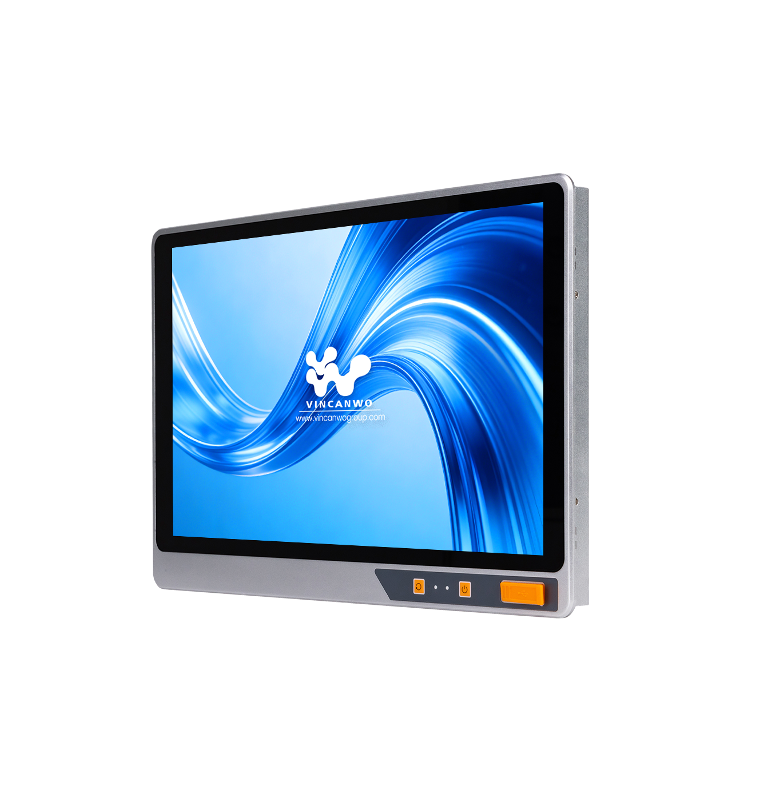
For applications requiring direct human interaction, the display must be just as durable as the internal computing components. Imagine a factory operator wearing thick, oil-stained gloves trying to interact with a delicate consumer monitor. It simply wouldn't work. Projected capacitive and resistive touchscreens have become the industry standards to solve this. Investing in a high-quality 17.3-inch Touch Panel Industrial PC ensures that operators maintain a clear, intuitive, and highly responsive interface. Featuring hardened, scratch-resistant glass and a crisp LCD screen, these panels easily survive daily industrial abuse while providing precise multi-touch functionality.
Your specific processing requirement dictates your CPU selection. While basic data logging or simple machine control can be handled by low-power Intel Celeron processors, modern automation demands significantly more compute capability. Tasks like real-time database querying, 3D rendering of complex machine parts, and localized AI inference require highly scalable processing power. Systems equipped with Intel Core i5 and i7 processors ensure that complex, multi-threaded tasks are executed without latency. This effectively prevents data bottlenecks on the production line.
Factory floors are typically a complex mix of legacy equipment and cutting-edge digital sensors. Therefore, the computing hardware must act as a bridge between old and new communication protocols.
I/O Port Type | Primary Industrial Application |
|---|---|
RS232/422/485 | Connecting to legacy programmable logic controllers, barcode scanners, and CNC machines. |
Dual/Quad Gigabit LAN | Separating corporate IT and factory OT networks; connecting IP cameras. |
USB 3.0/3.2 | High-speed data transfer for machine vision cameras and external storage. |
HDMI / DisplayPort | Outputting localized dashboards to larger overhead factory monitors. |
Digital I/O | Direct triggering of alarms, relays, and basic sensors without a separate controller. |
The integration of robust hardware with standard operating systems has unlocked advanced applications that were previously impossible to execute directly on the factory floor.
Recent shifts in the manufacturing sector highlight a massive transition toward edge computing and IT/OT convergence. Cloud computing revolutionized data storage, but sending terabytes of raw factory data to a remote server introduces unacceptable latency and consumes massive network bandwidth. Today, facilities are no longer just collecting data; they are processing it locally at the edge of the network right where the data is generated. By filtering out baseline data and only transmitting anomalies to the cloud, these systems significantly reduce bandwidth costs while enabling instantaneous machine adjustments.
Automated quality control relies heavily on high-speed computer vision. High-resolution cameras capture images of products moving rapidly along a conveyor belt. The computing node, particularly those configured with robust i5 or i7 processors, processes these images in mere milliseconds using advanced machine learning algorithms. It can detect microscopic defects, verify precise label placement, and automatically trigger a mechanical rejection system if a product fails inspection.
Panel PCs are frequently deployed as human-machine interfaces. They provide a localized, graphical dashboard for operators to monitor machine status, adjust operational parameters, and acknowledge safety alarms. For enhanced security and operational focus, IT administrators often utilize standard OS features to lock down the device. By configuring Windows Kiosk Mode, the system restricts the operator to a single, secure control application. This effectively prevents unauthorized web browsing, unwanted software installations, or accidental system modifications.
A common crossroads for automation engineers is deciding between a traditional programmable logic controller and an industrial computer. Ultimately, the choice depends entirely on the application's complexity and data requirements.
PLCs are purpose-built for one primary thing: determinism. They excel at simple, high-speed, microsecond-level machine control. If the task involves reading a proximity sensor and immediately triggering a pneumatic valve with absolute timing certainty, a PLC remains the most cost-effective and reliable choice. However, PLCs inherently lack the memory, processing power, and graphical capabilities needed for complex data manipulation.
When a project moves beyond basic logic and requires advanced computing, PC-based architecture becomes mandatory. If the application demands extensive data logging to an SQL database, complex mathematical calculations, AI inference, or a high-resolution graphical user interface, a standard PLC simply cannot handle the workload.
Feature | Programmable Logic Controller | Industrial Computer |
|---|---|---|
Primary Function | High-speed, deterministic machine control. | Complex data processing, HMI, Edge AI. |
Operating System | Proprietary Real-Time OS. | Windows, Linux. |
Storage & Memory | Very limited capacity. | High capacity solid-state drives. |
Software Flexibility | Low flexibility using ladder logic. | High flexibility using standard software. |
Modern technological advancements have significantly blurred the lines between these two technologies. High-performance computing systems can now run Soft PLC software like TwinCAT or CODESYS. This innovative approach allows a single hardware device to allocate one specific CPU core strictly for real-time deterministic control, acting exactly like a PLC, while the remaining processor cores handle Windows, data logging, and the graphical interface. This hybrid strategy dramatically reduces the overall hardware footprint and lowers procurement costs.
Selecting the correct physical configuration is just as critical as selecting the internal specifications. Manufacturers offer various form factors tailored to suit distinctly different installation environments.
This is a comprehensive, all-in-one solution that seamlessly combines the computing hardware and a rugged touchscreen display into a single enclosure. They are the undisputed standard choice for machine-side operator panels and central control room dashboards. By integrating the screen and the PC, facilities eliminate the need for vulnerable video cables and separate power supplies. When deploying a robust industrial LCD screen PC, engineers provide operators with immediate, touch-based control over complex manufacturing processes without compromising on durability.
For space-constrained environments where a localized display is entirely unnecessary, embedded box PCs are the optimal choice. These compact, brick-like computers are designed to be hidden away inside crowded control cabinets or mounted directly onto moving robotic arms. They run headless without a monitor and communicate data silently back to a central server or a separate display panel.
When a facility requires massive data acquisition, extensive storage arrays, or the integration of multiple high-end GPU cards for deep learning, rackmount units are utilized. Typically installed in standard 19-inch server racks within a factory's localized server room, these units offer the absolute highest level of PCIe expansion and processing power, albeit in a much larger physical footprint.
Integrating new computing hardware requires careful operational planning. Facility managers must thoroughly assess physical space and power limits, as proper physical installation dictates the hardware's longevity and long-term reliability.
Standardized mounting options ensure that new hardware fits into existing infrastructure seamlessly. VESA mounting offers universal bracket compatibility, making it highly suitable for articulated arms and factory wall mounts. This flexibility allows operators to adjust viewing angles for optimal ergonomics. Conversely, panel mounting secures the device directly into heavy machinery, creating a flush, dust-resistant surface interface that requires a precise cutout in the machine enclosure. For embedded systems, DIN-rail mounting works best inside crowded electrical control cabinets, allowing technicians to quickly snap compact box computers alongside existing logic controllers to save critical space.
Industrial power grids are notoriously unstable. They often experience severe electrical voltage fluctuations that would instantly fry a standard commercial computer. Wide-voltage power inputs solve this critical manufacturing issue. Systems accepting 9V to 36V DC ensure operational stability, protecting delicate internal components from sudden electrical spikes. Because heavy machinery startups frequently cause temporary power dips nearby, a wide-voltage input keeps the computing system running without interruption. Galvanic isolation further separates the internal computing circuits, preventing dangerous electrical noise from corrupting critical data streams.
As factory floors become increasingly connected to enterprise networks, network security has emerged as a primary concern. Hardware-level protection is now mandatory to prevent unauthorized system access and data breaches. The inclusion of a Trusted Platform Module 2.0 is an essential security feature, providing cryptographic keys stored directly on the motherboard. This secures system boot processes against malicious firmware modifications. Verifying TPM 2.0 hardware inclusion is vital to protect sensitive production data from external cyber threats. Physical port security also allows administrators to disable specific USB ports, preventing unauthorized drive connections.
Integration Factor | Technical Standard | Operational Benefit |
|---|---|---|
Physical Mounting | VESA, Panel, DIN-Rail | Ensures secure, vibration-proof installation. |
Power Stability | 9V-36V DC Input | Prevents shutdowns during voltage spikes. |
Network Security | TPM 2.0 Module | Encrypts data at the hardware level. |
Dust Protection | IP65/IP67 Front Bezel | Prevents particulate ingress and damage. |
Rugged computing masterfully blends hardware durability with familiar software flexibility. This powerful synergy ensures continuous manufacturing availability even in the most hostile environments. Before making a final purchase, carefully assess your specific environmental hazards, computational processing needs, and interface requirements. By selecting the right form factor and processing power, you safeguard your operations against both physical damage and digital obsolescence. Ready to upgrade your factory floor operations? Explore the high-performance industrial computing solutions at Vincanwo Group to achieve ultimate reliability and operational excellence today.
Yes, they are specifically designed to run standard operating systems like Windows 10 Pro, Windows 11, and Windows IoT Enterprise. This provides automation engineers the immense flexibility to run commercial software smoothly alongside specialized industrial control applications. Many systems also fully support Linux distributions like Ubuntu or Debian, ensuring broad compatibility with diverse programming languages and legacy systems. Utilizing familiar operating systems drastically reduces the training time required for new operators.
A high-quality rugged computing system is engineered to last seven to ten years, even when deployed in harsh 24/7 manufacturing environments. This remarkable longevity stems from their extruded aluminum enclosures and fanless thermal designs. Because industrial-grade internal components undergo rigorous stress testing and lack moving parts, mechanical failure rates are drastically reduced. Solid-state drives replace traditional spinning hard drives to prevent vibration-induced data loss, ensuring an extended lifecycle.
A standard commercial monitor is merely a display unit that receives video signals from an external source. In contrast, an industrial panel PC is a complete, all-in-one computing device. It houses the CPU, RAM, and storage directly within the same enclosure as the screen. Designed for heavy operator use, it features a rugged touchscreen and often carries strict IP ratings against dust and water ingress. While a standard monitor would quickly perish from liquid splashes or metal shavings, a panel PC thrives in these conditions.
The processor choice depends entirely on your specific software application requirements. For basic human-machine interfaces and simple data logging, lower-tier processors are usually sufficient. However, complex tasks demand much higher computational power. If your facility utilizes smart video analytics, 3D rendering of CAD files, or edge artificial intelligence processing, an Intel Core i5 or i7 is highly recommended. These robust processors ensure rapid execution speeds and prevent frustrating system lag.
These devices utilize advanced passive cooling techniques to manage internal heat without relying on vulnerable mechanical cooling fans. They feature extruded aluminum chassis that act as massive external heatsinks. This specialized metal surface dissipates internal heat efficiently into the surrounding air, allowing reliable operation in extreme temperatures ranging from -20°C to 70°C. Because all internal components are specifically rated for wide temperature fluctuations, the system prevents thermal throttling.
The initial procurement cost is higher because of the specialized engineering and premium materials required to guarantee extreme reliability. They utilize heavy-duty aluminum enclosures, wide-temperature rated motherboards, and embedded components with guaranteed 10-year availability. When you factor in the massive cost savings from avoiding factory downtime, preventing hardware replacements, and eliminating forced software recertifications, the total cost of ownership is actually much lower than replacing failed commercial desktops every year.
In industrial automation, an IPC acts as the central brain that bridges the gap between factory floor machinery and enterprise IT networks. It collects real-time sensor data, runs complex machine vision algorithms, provides a graphical interface for operators, and communicates with legacy PLCs. It essentially brings the processing power and software flexibility of a modern computer directly into the harsh physical environment of the manufacturing line.


